
Disks
A disk is a managed block volume that survives container restarts and rollouts. Create it once, attach it to a deployment, and the data stays put across every redeploy.
The Disks page#
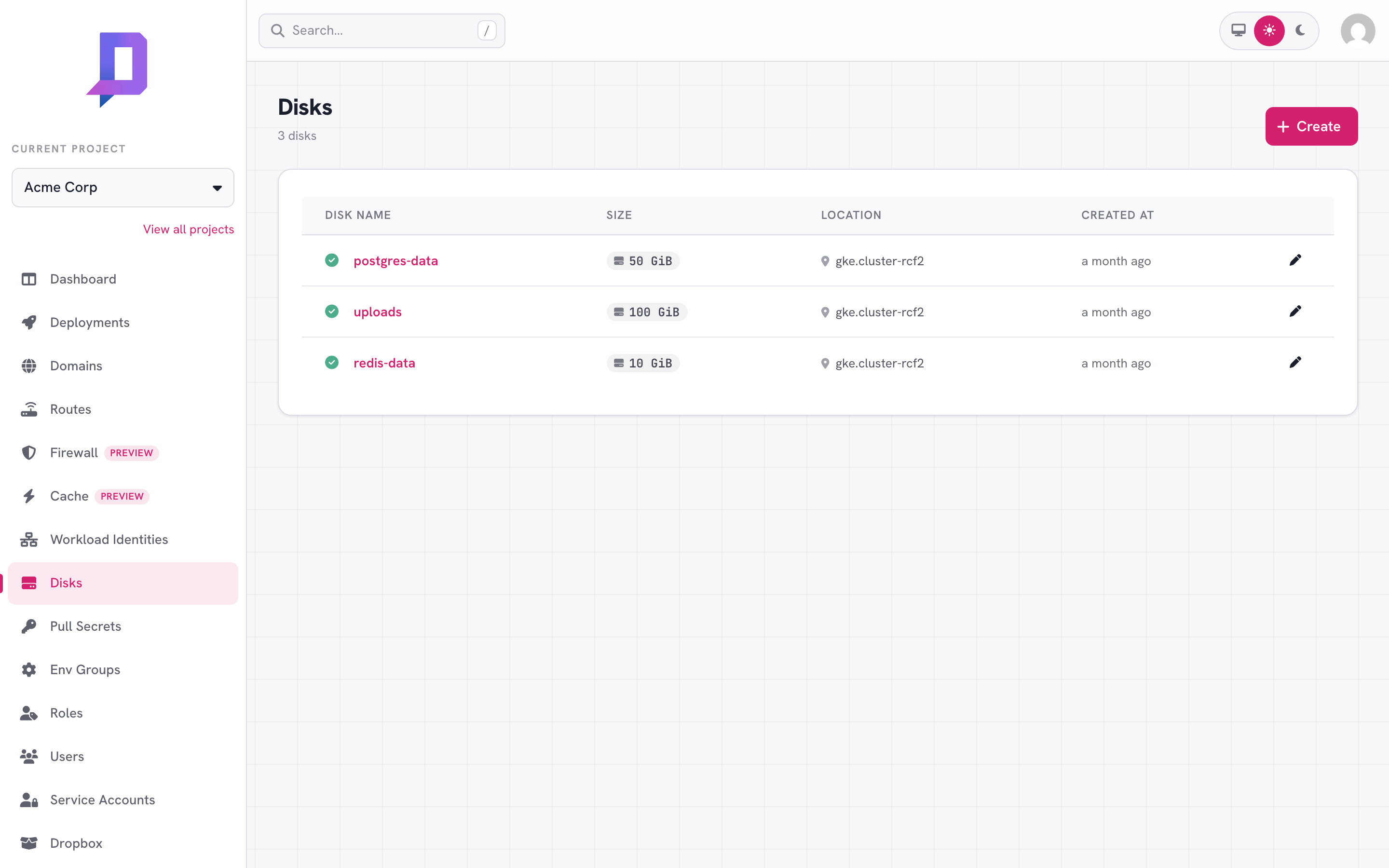
The Disks tab lists every disk in the project, with its size in GiB and the location it lives in.
Create a disk#
You’ll set three things: a name (must be unique within the project + location), a size in GiB, and the location. The location matters: a disk can only be attached to deployments in the same location.
deploys disk create \
  --project acme --location gke.cluster-rcf2 \
  --name uploads --size 100
The size is the initial size. You can grow it later — see Resize a disk below — but you can’t shrink it.
Attach a disk to a deployment#
Mount a disk by adding disk to the deployment’s configuration. The disk must
exist and be in the same (project, location), and must not already be
attached to another deployment.
{
  "name": "api",
  "image": "registry.deploys.app/acme/api:v1.8.0",
  "disk": { "name": "uploads", "mountPath": "/data" }
}
mountPath is the absolute path inside the container. Optional subPath
mounts a sub-directory of the disk only — useful if you want one disk to back
multiple deployments, each writing into its own folder.
{
  "disk": { "name": "shared-data", "mountPath": "/data", "subPath": "api" }
}
subPaths, with the understanding that
each deployment writes only to its own subpath).Resize a disk#
Disks can grow. The new size must be larger than the current size.
deploys disk update \
  --project acme --location gke.cluster-rcf2 \
  --name uploads --size 200
The platform expands the underlying volume; the deployment that owns it
doesn’t need to restart, but the filesystem inside the container may not see
the new space until the container is restarted or runs resize2fs (depending
on the filesystem).
Usage over time#
disk.metrics returns two time-series for a disk — usage (bytes actually
written) and size (the provisioned capacity) — over a timeRange (1h,
6h, 12h, 1d, 2d, 7d, or 30d). It’s how you spot a volume trending
toward full before it gets there, so you can resize ahead of an outage.
curl https://api.deploys.app/disk.metrics \
  -H "Authorization: Bearer $DEPLOYS_TOKEN" \
  -d '{ "project": "acme", "location": "gke.cluster-rcf2",
        "name": "uploads", "timeRange": "7d" }'
The same data backs the usage chart on the disk’s page in the console.
Delete a disk#
deploys disk delete \
  --project acme --location gke.cluster-rcf2 \
  --name old-data
Deletion fails if the disk is currently attached. Detach it first by
re-deploying without disk (or by deleting the deployment).
What disks are good for#
- Databases you self-host — Postgres, MySQL, Redis with persistence on.
- Uploaded user content — until you move it to object storage.
- Local caches you want to survive restarts — search indexes, image thumbnails, etc.
What they’re not good for: anything you’d reach for shared object storage for. A disk is bound to one location and one deployment at a time. For multi-region or multi-deployment access, push data to a bucket and serve it from there.